
A design your community actually enjoys
DKPremiumTheme turns your HumHub installation into a clean, modern platform – whether a company intranet, a club portal, an alumni network or your own social network. Configurable navigation, dark mode, mobile bottom navigation, a welcome banner and five color schemes – all through a settings page, without a single line of code.
Why DKPremiumTheme?
Three reasons you will notice right away.
Fully configurable
Set navigation, banner, colors, width and dark mode in the admin area – no CSS skills and no code changes needed.
Convincing on mobile, too
On smartphones the most important menu items move into a bottom navigation bar. The top bar stays clean.
Light, dark, your colors
Dark mode with a toggle in the header and five matching color schemes – each in light and dark.
Sound familiar?
The default HumHub design works – but in the everyday life of a community you quickly hit its limits.
- A crowded header where menu items and spaces compete for room
- Navigation can only be adapted sensibly with code or extra modules
- Using it on a smartphone is awkward
- No dark mode – the platform is too bright in the evening
- Your platform looks like every other HumHub
The solution: a theme with a settings page
- Left navigation with groups, icons and visibility per user group
- A clean single-row header
- Bottom navigation for smartphones, freely configurable
- Dark mode, as default or via toggle
- Five color schemes and a welcome banner with character
For which platforms?
HumHub is versatile – DKPremiumTheme adapts.
Companies & intranet
Employee portal with clear navigation, banner and mobile use.
Clubs & associations
Member area with its own look and simple operation.
Schools, universities & alumni
A network students and graduates like to open.
Social networks & communities
Your own platform with recognition value, on smartphones too.
Municipal & neighborhood networks
Information and exchange in one place, easy for everyone.
Teams & projects
Workspaces neatly organized, light or dark.
Five color schemes – each in light and dark
One click in the settings is enough. Colors adapt automatically, including dark mode.
Graphite & amberDefault
Neutral and technical
Teal
Fresh and calm
Indigo
Modern and clear
Burgundy
Bold and warm
Midnight blue & gold
Classic and serious
All features at a glance
What the module does – and what it takes off your plate.
- Left navigation with groups and entries (label, URL, icon, new tab)
- Visibility per group/entry: everyone, administrators only or specific user groups
- Active entry is highlighted, even when navigating without a page reload
- Export and import of the navigation as a JSON file
- Single-row header, optional space chooser in the header
- Navigation width, header height and content width adjustable
- Welcome banner with placeholders for first name, name and date
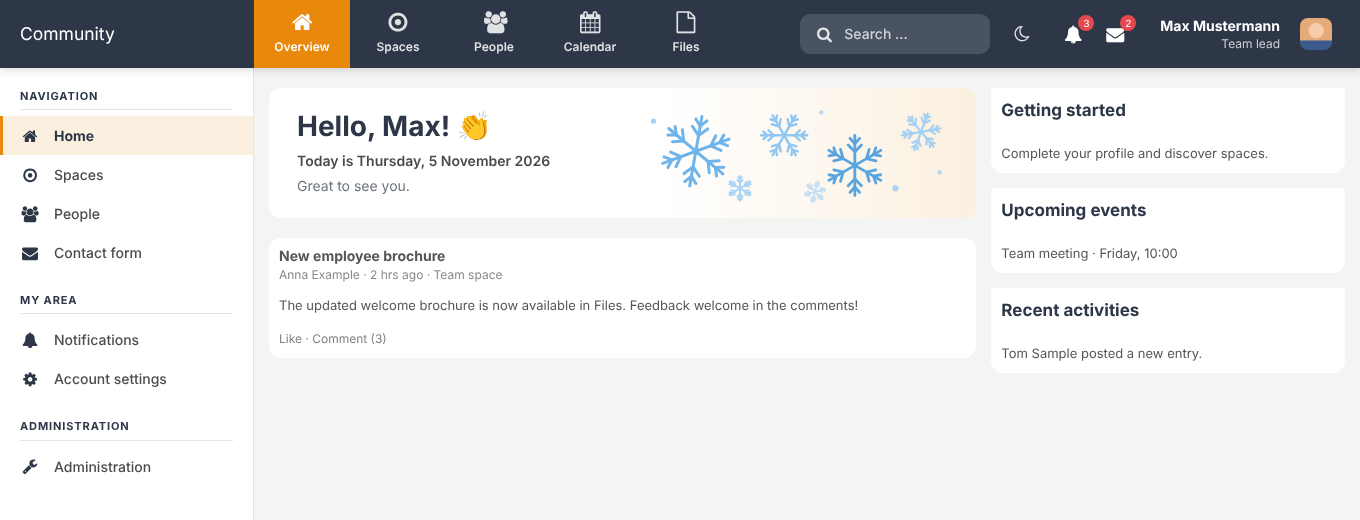
- Optional date line, e.g. “Today is Thursday, 5 November 2026”
- Your own banner image via upload or URL
- Seasonal graphics: autumn, winter, spring, summer – or your own images
- Optional applause icon next to the name
- Bottom navigation bar for smartphones, up to five freely configurable entries
- Burger menu opens the full navigation
- Dark mode with toggle in the header, choice remembered per browser
- Default adjustable: light, dark or follow operating system
- No flash when the page loads
- All settings neatly arranged in tabs, one Save button
- Settings page in German, English, French, Spanish and Dutch
- Sample texts appear in each user’s language
- Add your own CSS in the admin area
- Compatible with HumHub 1.18 and 1.19
- Install by upload – no console, no Composer
- HumHub 1.18 or 1.19
- PHP version required by your HumHub version
- Outgoing HTTPS connection to the license server
- HumHub cron job (license check in the background)
- Write permission on the HumHub upload folder (for banner images)
Configure everything comfortably in the admin area
One clear settings page with five tabs – no code, no theme files to touch. Click an image to enlarge it.
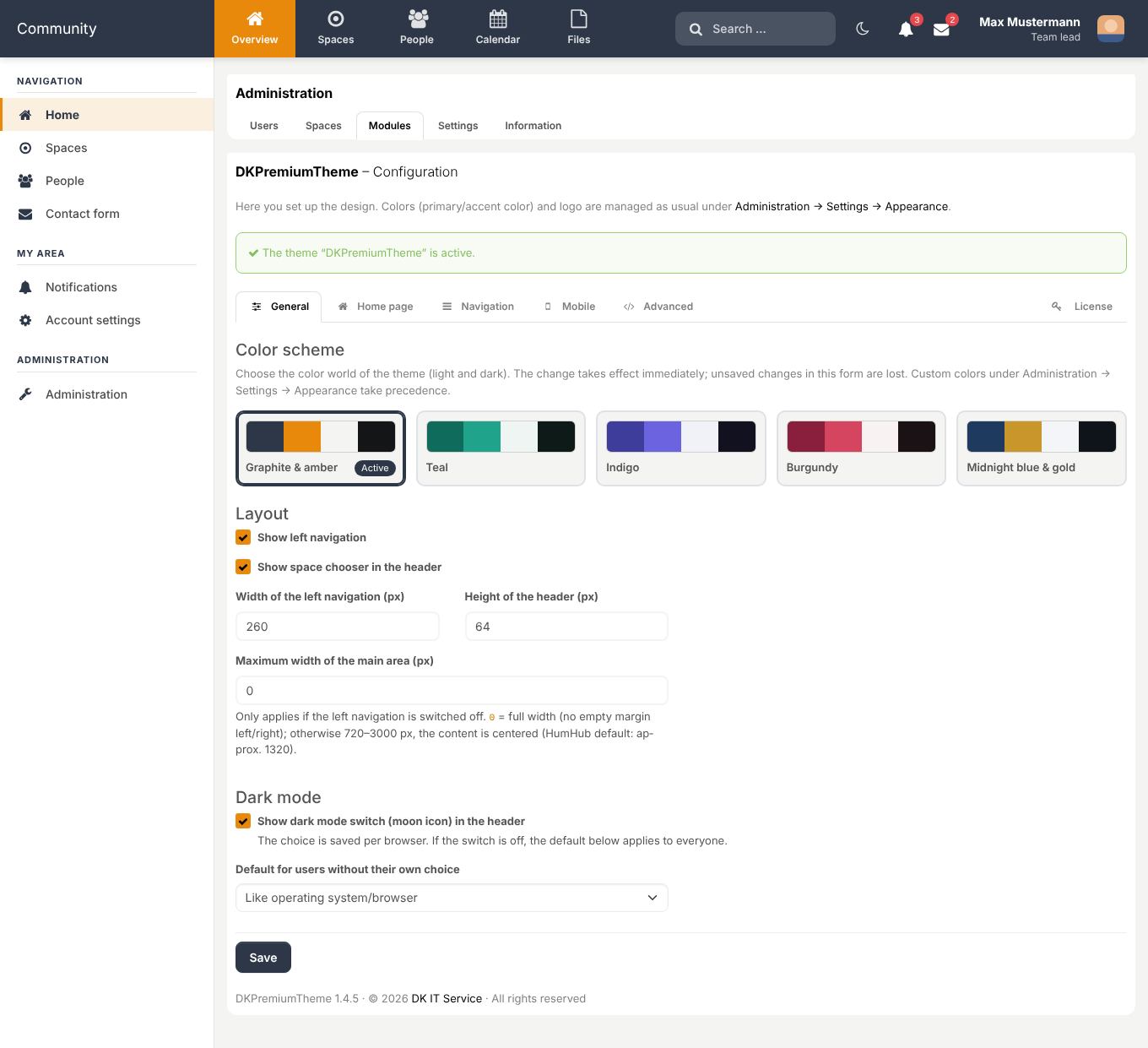
GeneralPick a color scheme with one click, set layout widths, enable the dark mode toggle and choose its default.
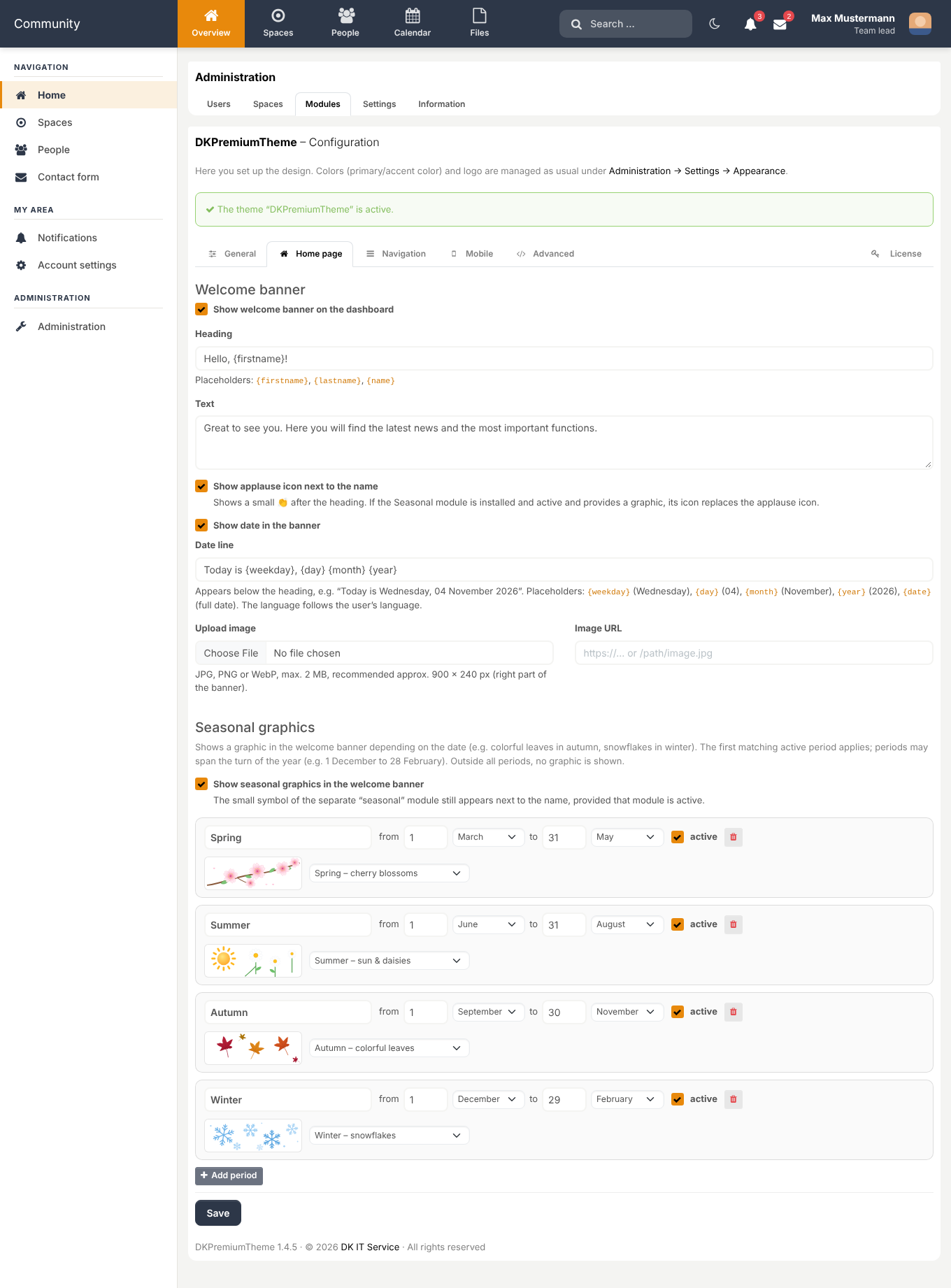
Home pageWelcome banner with placeholders, date line, applause icon and seasonal graphics for freely chosen periods.
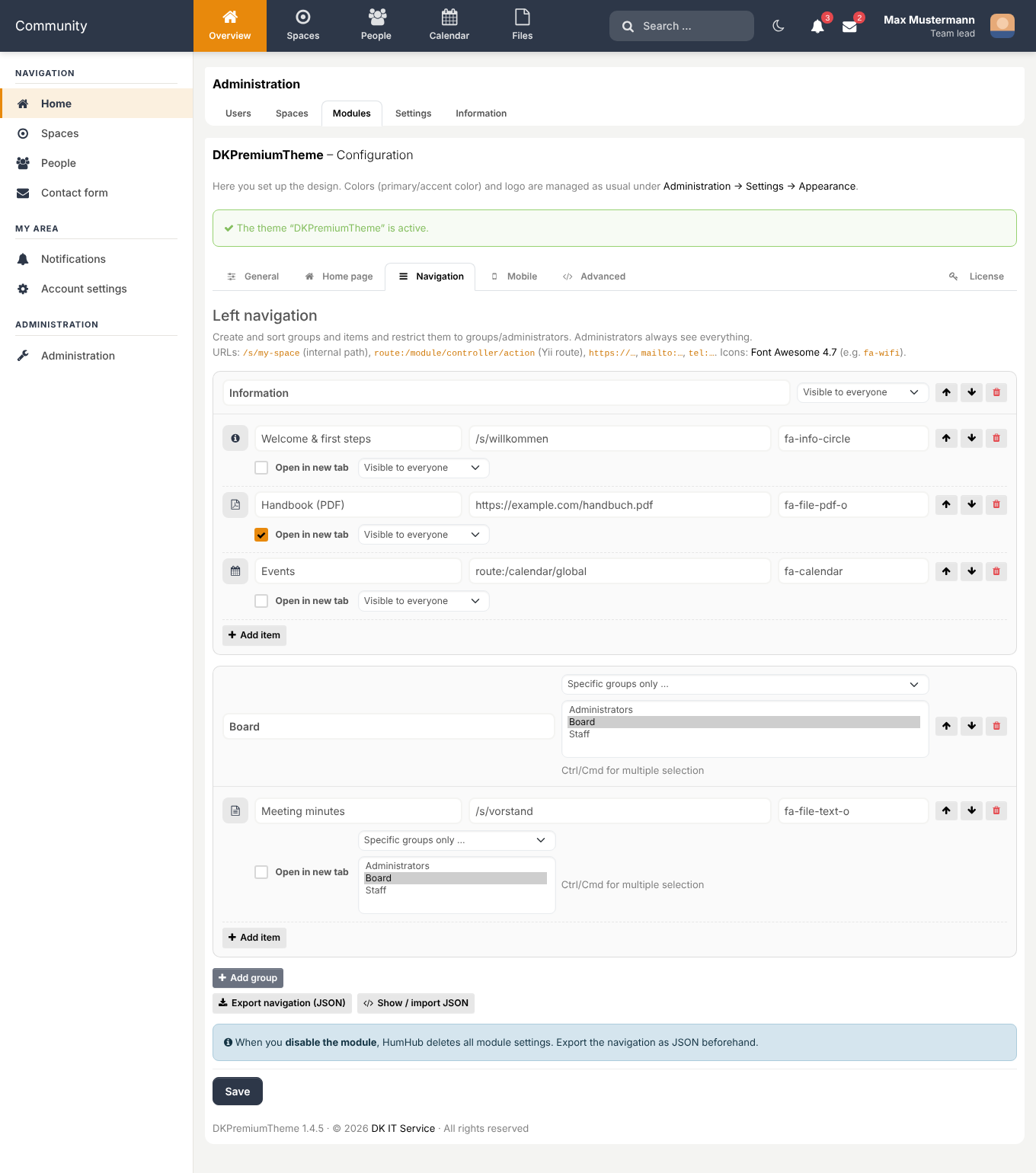
NavigationCreate and sort groups and links with a click, choose icons, control visibility per group or entry, export/import as JSON.
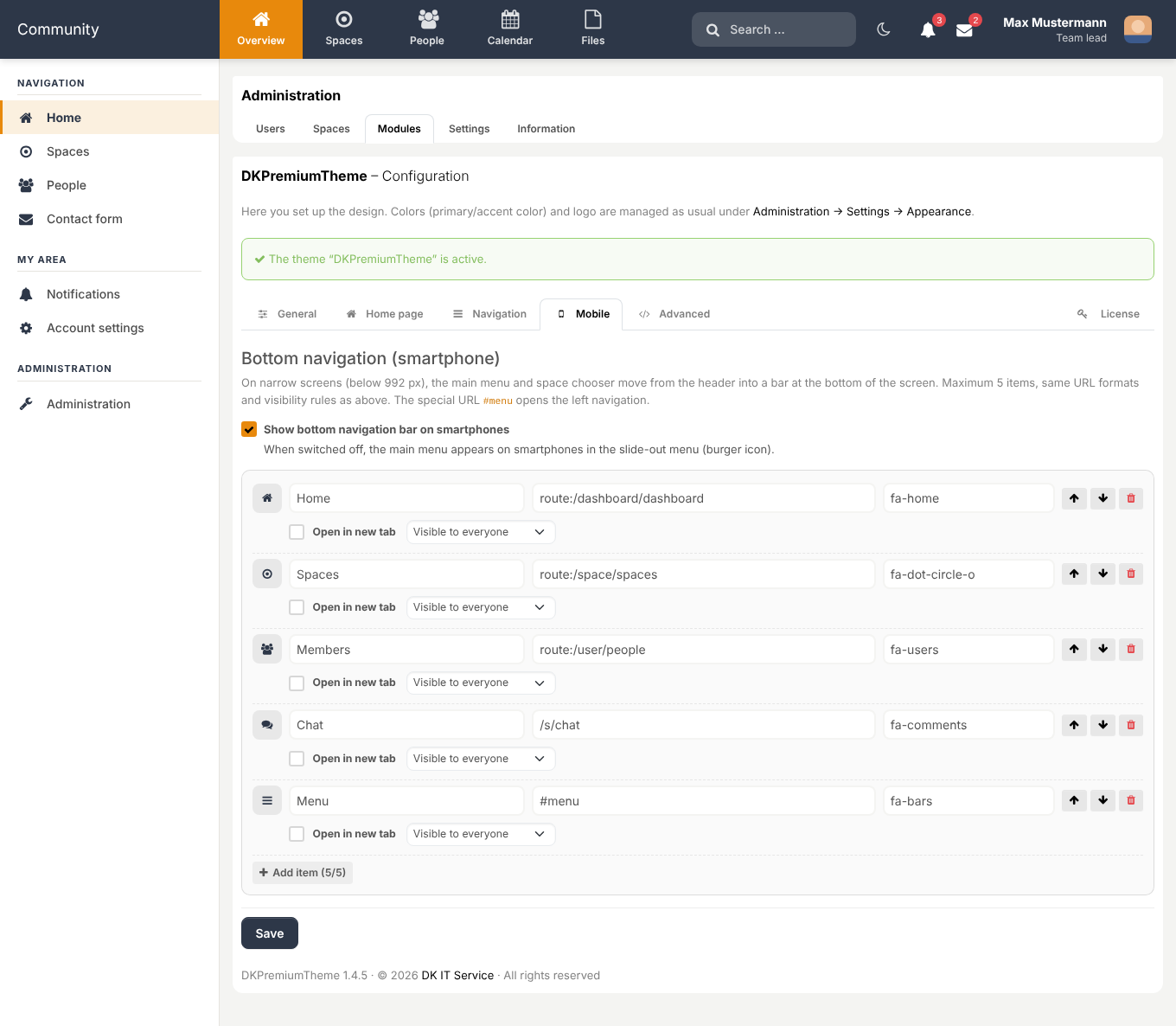
MobileCompose the bottom navigation bar for smartphones with up to five entries.
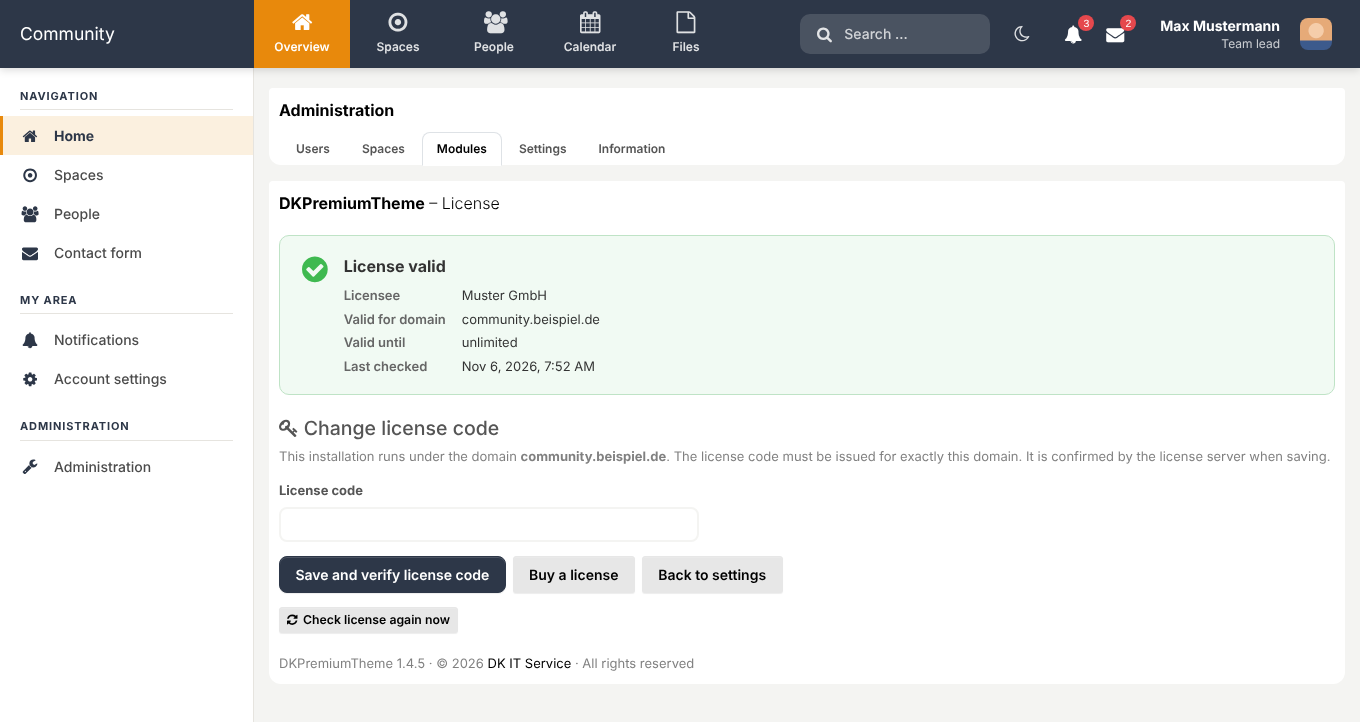
LicenseEnter the license key, see status and validity at a glance, trigger a re-check any time.
Screenshots
Click an image to view it full size. Screenshots show sample data.
Home page, lightWelcome banner, left navigation and single-row header
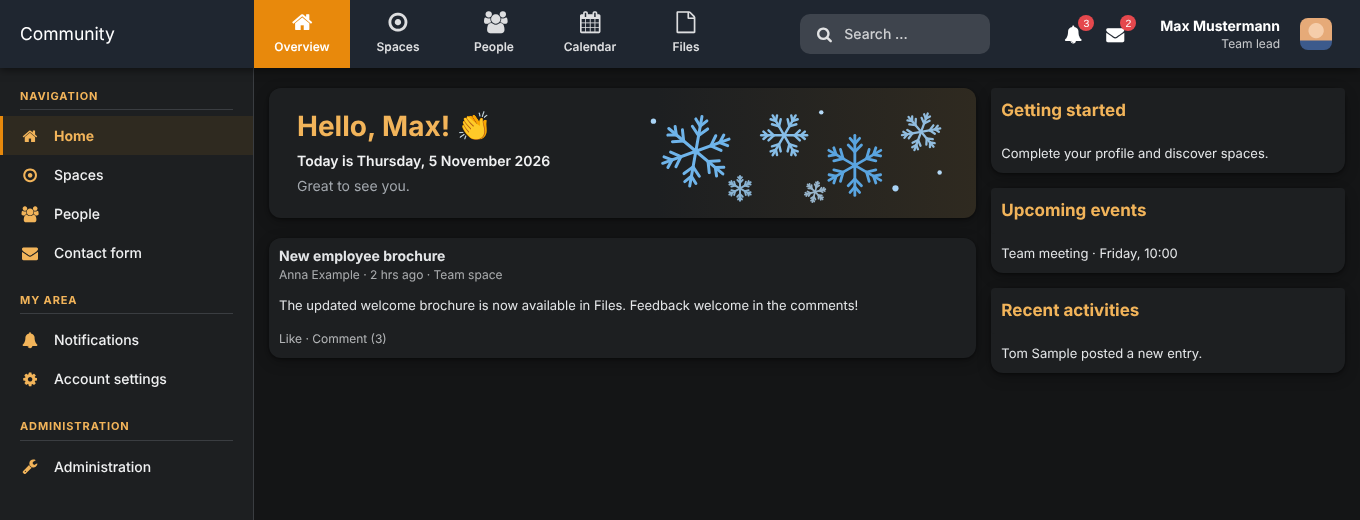
Dark modeThe toggle in the header switches between light and dark
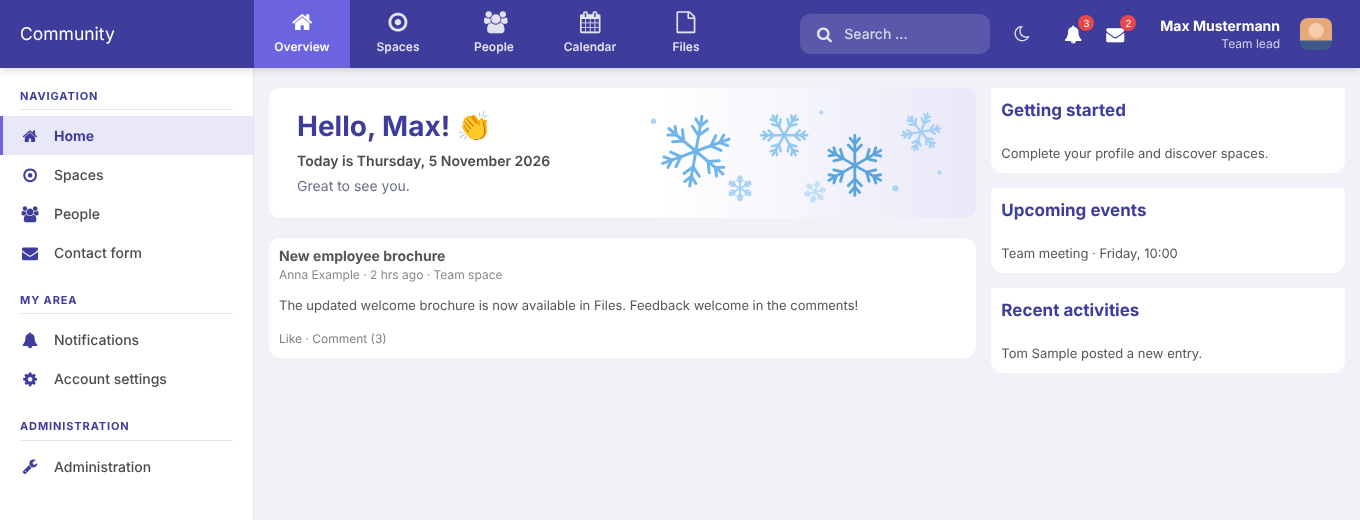
Indigo color schemeFive color schemes to choose from
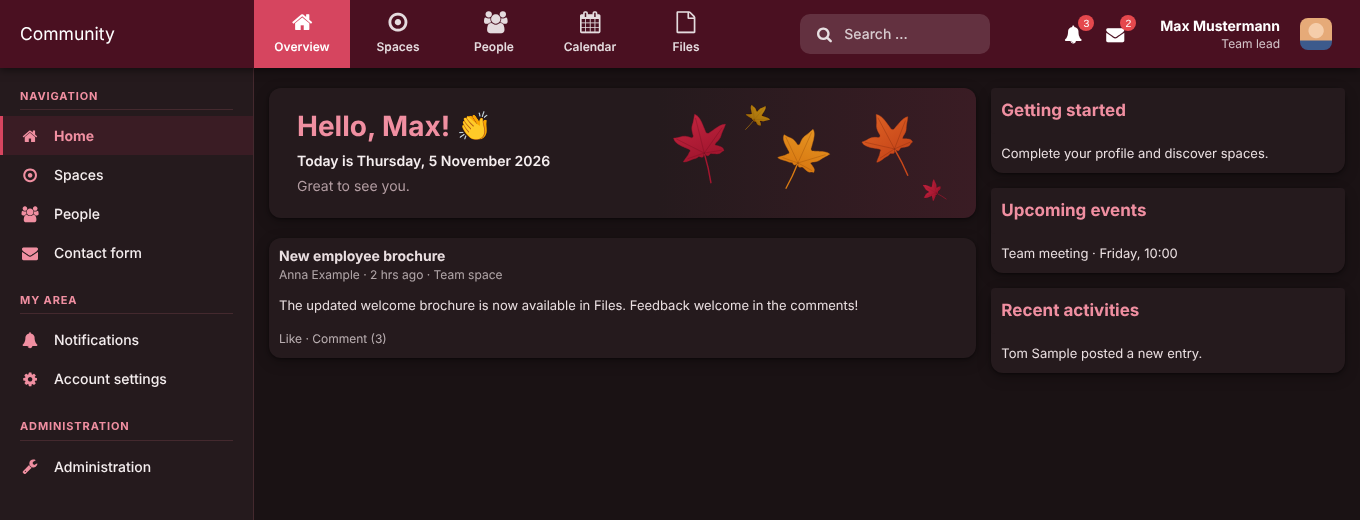
Burgundy color scheme (dark)Every scheme is also available in dark mode
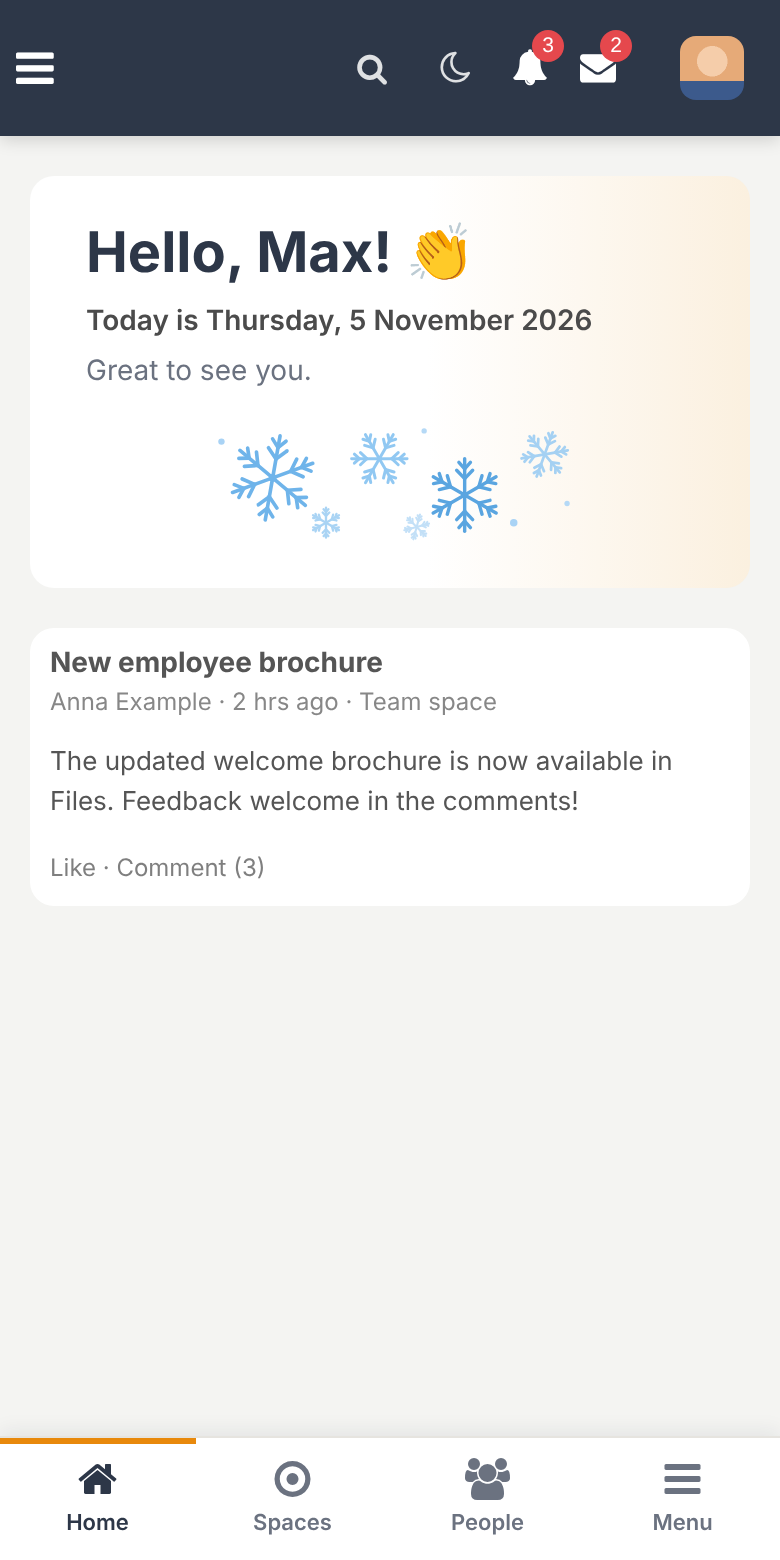
Mobile with bottom navigationThe most important items always within thumb’s reach
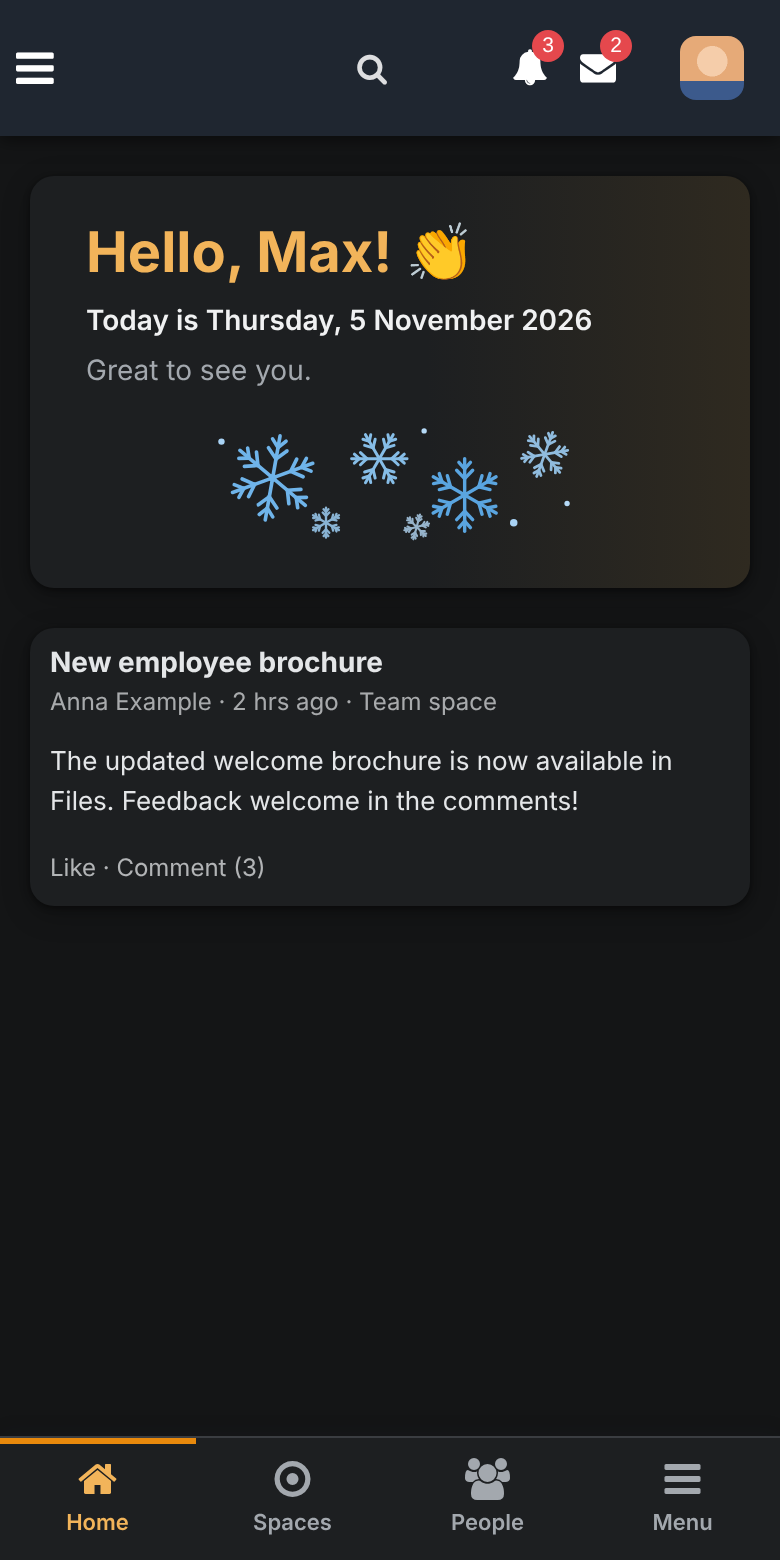
Mobile in dark modeLight and dark on smartphones, too
Buy now
Fill in the form and you will be redirected to PayPal.
Frequently asked questions
By upload: copy the module folder to protected/modules, activate it under Administration → Modules, then enter the license key. No server console is needed. Instructions are included.
The license key is bound to the domain of your HumHub installation and is confirmed by the license server when you enter it. After that the check runs in the background via the HumHub cron job; your users will not notice anything.
The theme automatically switches back to the standard HumHub theme; your settings are kept. With a valid key the theme becomes active again.
Only the license key, domain and product ID (technically also the server’s IP address). No content or user data from your platform is transmitted.
HumHub 1.18 and 1.19. The theme builds on the standard HumHub theme and overrides only what is necessary.
Yes: choose one of five color schemes. Custom colors under Administration → Settings → Appearance take precedence, and you can add your own CSS.
The module ships its own theme and replaces the active one. Features of other modules are kept; HumHub’s core views are styled, not replaced.
Updates for the version you purchased and e-mail support at hallo@dk-it-service.de are included for 12 months from the purchase date. After that you can keep using the module as is.
No. The license covers one HumHub installation under one domain. For further installations you need another license.
Turn your HumHub into a platform people like.
Buy once, unlock with a license key, set up in minutes.
Introductory price €79 (regular €99) one-time · In accordance with § 19 UStG no VAT is charged (small-business rule)